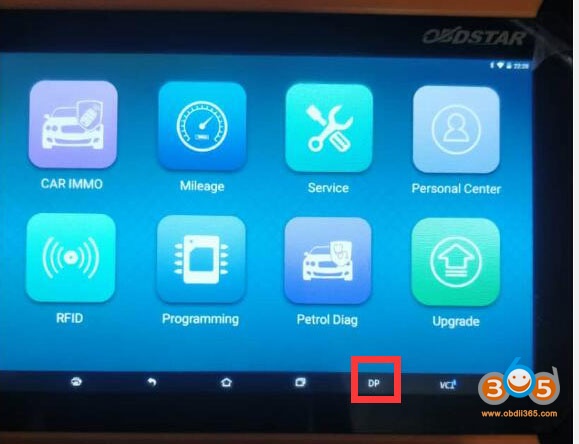
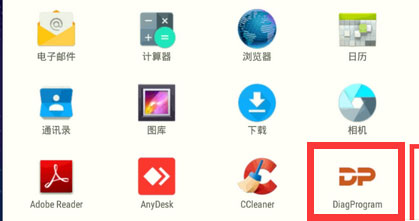
1.Connect MS80/X300 Pada to Motorcycle, go to Moto IMMO function – ALL – Honda – select latest Honda software version – Manual Select Model- ADV- Add a key
Tips: by searching keywords, find out related models quickly.
Connect OBDSTAR pad with motorcycle via P002 adapter and MM053 special harness
Press Enter
Tips: press Operation Instruction to check operation steps;
Switch all keys to the disable mode, click Enter;
Tips: within help data files of Switch Key Mode in ADV menu.
Switch all programmed keys to the working mode, click Enter;
Switch all programmed keys to the disabled mode, and switch the new key to be programmed to the working mode, click Enter;
Blade key, key shell and chip Network connection is required during the programming procedure.
Procedure:
Connect P002 adapter, Ford AKL cable with X300 Pro4 and vehicle (OBDSTAR will show connection wiring diagram, or check previous post for more information) Select Immobilizer- Toyota Lexus Scion V32.55 – Select System – Blade – Type 3- Europe – Read Immo data
Confirm cable connection is okay Updating firmware
Reading data Save immo data Select Make Start Key function – Kery SIM simulator
Connect Key SIM with x300 pro4 via USB cable Choose correct immo data you just saved
Select make start key via Key SIM simulator
Generate emulator, wait patiently Generate success, can start car now.
Place the indicator light of the start key close to the ignition switch and insert the blade key without chip into the ignition switch, turn the blade key to start the vehicle if the vehicle can be started normally, use the start key and the blade key without chip instead of the original vehicle master key for key duplication.
Can’t synchronize the remote on Berlingo 2 of 2010 after programming with obdstar x300 dp plus.
Turn on ignition and hold lock button for 10 seconds, still does not work. There is no more original key.
Someone to help me please?
Solution:
It’s not the right key.
If holding the 10 unlock or lock with the key in ignition in the on position, does not bring results, then you have wrong modulation FSK instead of ASK or vice versa.
Uses a key with a signal: FSK REFERENCE: CE053 Don’t forget to sync the key for 10 seconds. If it still doesn’t work. Look no further. Check the battery on key and key signal with Xhorse mini key tool or Handy Baby. If this still doesn’t work, it’s your key that’s faulty or poor quality. If this still doesn’t work.
Otherwise try with another key model by: CE0523 with signal: FSK
Trying to check with the key shell, if the remote synchronization function is active in the BSI. Because if it’s not activated, that’s why your remote synchronization doesn’t work with the remote control, despite having the right model. Because the right remote is well in CE0536 – FSK.
Confirmed: OBDSTAR X200 Pro2is the best oil service reset tool for Maserati. The Pro2 supports up to 2021 year ( working together with one more FCA adapter). X200Pro doesn’t work on Maserati 2018 or up, while X200 PRO2 works on some models up to 2021.
OBDSTAR X200 Pro2 Maserati Oil Service Reset Coverage (The list is not up-to-date, please check the machine for the latest):
Maserati Model
Year
Auto reset
ALFA ROMEO 8C
OK
GHIBLI
2018
OK
GHIBLI
2017
OK
GHIBLI
2013-2016
OK
GRANCABRIO
2018
OK
GRANCABRIO
2007-2017
OK
GRANTURISMO
2018
OK
GRANTURISMO
2007-2017
OK
LEVANTE
2018
OK
LEVANTE
2017
OK
QUATTROPORTE
QUATTROPORTE
2018
OK
QUATTROPORTE
2017
OK
QUATTROPORTE
2013-2016
OK
OBDSTAR X200 Pro2 is able to reset oil service for Maserati in 1 minute:
How it works? watch the following video on 2017 Maserati Levante Oil Reset with OBDSTAR X200 Pro2
Simple guide: Click on “Service” -> All -> Oil / Service reset -> newest version -> VCI is upgrading -> Europe -> Maserati -> Levante -> 2017 ->IPC -> Please switch on the ignition, and switch off the engine -> Reset Success (The effect can be seen on the instrument).
Users’ test reports speak louder than words:
Review 1.
I received the OBDStar X200 Pro 2 today and.it worked!!! I was able to reset my service indicator message and turn off the green service wrench in less than 15 seconds!!! This thing is the real deal!
Review 2.
The OBDSTAR x200 Pro2 will clear any light that comes on the dash and tell you what the reason for the light is. It has many functions which include resetting intervals and a normal OBD code reader/ clearer.
It will allow you to reset trouble codes which will likely turn off the check engine light. However, depending on the issue your car has it may well come straight back on. The key thing is to use it to determine the trouble codes and then research what they mean. Tons of info online. Depending on the code(s), you can try a reset but it may also mean going straight to the dealer. If it is serious you should not reset the codes as the dealer will need that info to diagnose the problem.
Review 3.
Got an OBDSTAR x200 Pro2 last week. Worked as advertised on my 2014 GT Sport Convertible. Was surprisingly easy for a rook like me, once I found the OBD port.
It resets to only the 12.5k mile interval, though. Didn’t see a way to customize.