Showing posts with label OBDSTAR F-100. Show all posts

2016/11/15

OBDSTAR F100 Program Smart Key for Ford Truck F150 F250

It’s a manual of how to use OBDSTAR F100 to program keys by owners themselves for Ford super duty trucks F150 / F250. No longer ask the automotive locksmith or dealership to help make keys; just do it by Ford owners selves instead. Enjoy!


OBDSTAR F100 Ford/Mazda key programmer not only covers Ford cars, but also Ford trucks. Here is the instruction on programming smart keys for F150 and F250 by F-100.


Step 1: select 1 in 2 optional systems: immobilizer and smart key system
immobilizer and smart key system
Step 2: select the model and function you want to do:
USA Ford F150, F250 models & functions in F100:
    Immobiliser
F150 / F250 (2004-2008, 2011)
Type 1
All keys lost
Type 2
Erase keys
Program keys
F250 / F350 (2008-2010, 2010-)
Type 1
All keys lost
Type 2
Erase keys
Program keys
F150 Super Duty (2011-)
F250 Super Duty (2011-)
F350 Super Duty (2011-)
All keys lost

    Smart key system
F150 (2011-)
Erase smart key
Program smart keys
F250 (2011-)
Erase smart key
Program smart keys
F150 / F250 (2015)
Erase smart key
Program smart keys

Step 3: go to Ford F150 or F250 key programming. Take “Program keys” here.
Program keys
To program keys, at least 2 keys are required.
at least 2 keys are required
Insert the key to be programmed and turn ignition on…
Insert the key to be programmed
(just follow the screen instruction)
Ford key programming success. Now, 3 current keys available.
key programming success
Note: if 2 working keys in hand, try the free way before buying a Ford key programmer. It will help save a lot.
once you have had the new key cut by a Locksmith or other qualified persons use the following instructions:
  1. Insert an existing working key into the ignition cylinder.
    2.  Turn the ignition cylinder to ON(RUN) and back to OFF.
    3.  Remove the existing working key and, within five seconds, insert a second working
    key and turn it to ON (RUN) then back OFF.
    4.  Remove second working key and insert the new key before ten seconds have
    elapsed and turn it to ON (RUN). Leave it on for one second and turn back to OFF.
    5.  The security light will light up for three seconds to indicate that the new
    key has been successfully programmed.
Obdstar f-100 key programmer car list download:

2016/10/23

OBDSTAR F100 new adds Ford cars from other regions

You have only China and U.S Ford Mazda options when OBDSTAR F100 first rolled out. OBDSTAR engineer later  tested and updated Ford cars from other regions, including EU (Europe), African Australia, Israel, India, South America and other region.
obdstar-f100-update-cars
FORD
Africa
Bantam
2007-
Fiesta
2002-2008
Figo
2007-
Icon
2002-2008
Transit
2014-
Asia
China
Immobiliser
Ecosport
Focus
Classic focus
Auto search
Manual selection
Type 1
Type 2
New focus
Type 1(2011-)
Type 2(2014-)
Escort
Fiesta
-2013
2013-
Escape
Mondeo
Type 1
Type 2
S-Max
Type 1
Type 2
Transit
New Mondeo
Edge
Smart key system
Ecosport
Fiesta
Focus
2012-
2015
Escape
Mondeo
Type 1
Type 2
New Mondeo
Edge
-2014
2015-
Other
Fiesta
2011
Focus Focus
2010-2014
Immobiliser
Mondeo
Petrol
Auto
1997-2006
Ranger
2011-
Australia
Select from vehicle
C-Max
Type 1
Type 2
Courier
Petrol
1993-1996
2001-2008
Type 1
Type 2
2008-
Immobiliser
Smart key system
Diesel
2001-2008
Immobiliser
2008-
Immobiliser
Smart key system
Escape ZD
Escape Orion
Petrol
1993-1997
1997-
Diesel
1994-1997
Ba Falcon
Bf Falcon
Fiesta
Petrol
2001-2008
Type 1
Type 2
2008-
Immobiliser
Smart key system
Diesel
2001-2008
Immobiliser
2008-
Immobiliser
Smart key system
Focus
Petrol
1998-2004
2005-2011
Immobiliser
Smart key system
Diesel
1998-2004
2005-2011
Immobiliser
Smart key system
Fusion Usa Mondeo
Galaxy
Petrol
1997-2000
NOT V6
2000-
NOT V6
TYPE 1
TYPE 2
Diesel
1997-2000
2000-
TYPE 1
Ka
1998-2000
2002-2008
Mondeo
Petrol
Manual
1994-1996
1996-1997
1998-
2007-
Immobiliser
Smart key system
Auto
1994-1996
1996-1997
1997-
2007-
Immobiliser
Smart key system
Diesel
1996-1997
1998-
2007-
Immobiliser
Smart key system
Puma
Petrol
1996-
Ranger
2012-
Territory
Sx
Sy
Transit Connect
-2007
2007-
TYPE 1
TYPE 2
Transit
Petrol
1997-2000
2000-2006
2007-
Diesel
1994-1995
1998-
2007-
Dura Torque
TYPE 1
TYPE 2
Epic
1995-1997
1997-1998
1998-
Windstar
-1997
1997-1998
1998-
Select from Type
TYPE1(CAN)
TYPE2(CAN)
TYPE3(CAN)
TYPE4(CAN)
TYPE5(CAN)
TYPE6(CAN)
TYPE7(PCM)
TYPE8
TYPE9
Europe
Select from vehicle
C-Max
-2010
Type 1
Type 2
Courier
Petrol
1993-1996
2001-2008
Type 1
Type 2
2008-
Immobiliser
Smart key system
Diesel
2001-2008
Immobiliser
2008-
Immobiliser
Smart key system
Escape Orion
Petrol
1993-1997
1997-
Diesel
1994-1997
Fiesta
Petrol
2001-2007
Immobiliser
Type 1
Type 2
2008-2013
Immobiliser
Smart key system
Diesel
2001-2007
Immobiliser
2008-2013
Immobiliser
Smart key system
Focus
Immobiliser
1998-2004
2005-2011
Smart key system
2005-2011
2011
Smart key system
Galaxy
Petrol
2007-2010
Immobiliser
Smart key system
2010-
Immobiliser
Smart key system
Diesel
2007-2010
Immobiliser
Smart key system
2010-
Immobiliser
Smart key system
Fusion Usa Mondeo
Ka
Petrol
2002-2008
Kuga
2007-2009
2009-2013
2013-
Smart key system
Ltd
PCM
Mondeo
1994-1996
Petrol
Manual
Auto
1996-1997
Petrol
Manual
Auto
1997-1998
Petrol
Manual
Auto
Diesel
1998-2007
2007-2010
Immobiliser
Smart key system
2010-
Immobiliser
Smart key system
Puma
Petrol
1996-
Ranger
2012-
S-Max
2007-2010
Immobiliser
Smart key system
2010-
Immobiliser
Smart key system
Tourneo
2006-2012
Tourneo Connect
2013-2014
Immobiliser
Tourneo Custom
2014-
Immobiliser
Transit
Petrol
1997-2000
2000-2007
2007-2014
Diesel
1994-1995
1995-1996
1997-1998
1998-
2007-2014
2014
Transit Connect
-2007
2007-
Transit Custom
Select from Type
TYPE1(CAN)
TYPE2(CAN)
TYPE3(CAN)
TYPE4(CAN)
TYPE5(CAN)
TYPE6(CAN)
TYPE7(CAN)
TYPE8(CAN)
TYPE9(CAN)
TYPE10(PCM)
TYPE11
India
Ecosport
2012
Immobiliser
Fiesta
2004
2008
Immobiliser
Smart key system
Figo
2004
2008
Immobiliser
Smart key system
Usa Mondeo
Mondeo
Petrol
Manual
1994-1996
1996-1997
NOT V6
1998-
2007-
Immobiliser
Smart key system
Auto
1994-1996
1996-1997
1997-
2007-
Diesel
1996-1997
1998-
2007-
Immobiliser
Smart key system
Israel
Edge
2011-
Immobiliser
Smart key system
Explorer
2011-
Immobiliser
Smart key system
South America
Ecosport
2003-2012
Immobiliser
2012-
Smart key system
F250
Petrol
Fusion Usa Mondeo
2010-
HEV
USA
Select from vehicle
Navigator
2003-2005
C-Max
Immobiliser
2013-2014
Smart key system
2013
Smart key system
Immobiliser
Contour
V6
1997-1998
1999-2000
Cougar
1999-2002
Crown Victoria
1998-2002
2003-2004
2005-2006
2007-2008
E
2008-2009
2010-2014
Immobiliser
E-250
E-350
Edge
2007-2009
2010
2011
Escape
Immobiliser
2001-2004
2005-2007
2008-2012
2013
2014
Smart key system
2013
Immobiliser
Smart key system
2014
Immobiliser
Smart key system
Excursion
2000-2005
Expedition
2003-2004
2005-2006
2007-2008
Explorer
1998-2000
2000-2003
2004-2005
2006-2009
2010
2011-
Explorer Sport Trac
2002-2005
2007-2009
2010
2011-
Fiesta
Immobiliser
-2014
2014-
Smart key system
-2014
Immobiliser
2014-
Immobiliser
Five Hundred
2005-2007
Flex
2013
Focus
Immobiliser
2000-2002
2003-2004
PCM
2005
2006-2007
2012-2013
2014
Smart key system
2012-2013
Immobiliser
Smart key system
2014
Immobiliser
Smart key system
Ford GT
2005-2006
Freestar
2004-2005
2006-2007
Freestyle
2005-2006
2007-
Fusion Usa Mondeo
2006-2009
2010-
HEV
Petrol
Petrol SPORT
F150/250
2004-2008
2011
Immobiliser
2015
Smart key system
F250/350
2008-2010
2010-
F150 Super duty
2011-
Immobiliser
F250 Super duty
2011-
Immobiliser
F250 Super Diesel
F250 Lariat King D
F350
2010
2010-
F550
2011-
Grand Marquts
1998-2002
2003-2004
2005-2006
2007-2008
Marauder
2003-2005
Mariner
2005-2007
Montego
2005-2006
2007-
Montetry
2006
Mountaineer
2004
2005
2006-2008-
2010
Mustang
1994-1995
1996-1997
1998-
2005-2009
2010
2011-2014
2015
Smart key system
Ranger
2007-2008
Sable
1996-1997
1998-1999
2000-2003
2004-2007
2008-
T-250
2015
Taurus
1996-1997
1998-1999
2000-2003
2004-2007
2008-2009
2010-2012
Immobiliser
2013
Immobiliser
Transit
Transit F250
2015-
Transit Connect
2014
Select from type
TYPE1(CAN)
TYPE2(CAN)
TYPE3(CAN)
TYPE4(PCM)
TYPE5
Other
Immobiliser
E250
Edge
Expedition
Type 1
Type 2
F-150
2004-2008
2009-
Type 1
Type 2
F-250
Type 1
Type 2
F-350 SD
Fiesta
2005-2010
Mustang
2011-2014
Ranger
PCM Immobiliser
Smart key system
Ecosport
Type 1
Type 2
Edge
-2014
2015-
Explorer 11-
F-150
2011-2014
2015-
F-250 11-
Flex 13-
Mustang
2015-
Taurus 10-
Remote
TYPE 1
LINCOLN
Smart key system
Mkc
2014-
Mks
Mkx
Mkt
Mkz
2013-
Immobiliser
Mkx
2007-
2010-2012
Mkz
2007-2009
Mark LT
2005-2007
2008-2009
Milan
2006-2010
2010-
Navigator
1997-1998
2003-2004
2005-2006
2007-2008
2009-
PCM
Town car
2003-2004
2005-2010
Zephyr
2006
2007-
Remote
Navigator

Note: The above is the list of Ford vehicles. Check Mazda, Jaguar, Land rover vehicle list in obdii365.com webpage.

2016/08/08

OBDSTAR F100 Program Mazda CX-5 all smart key lost

Here is the step-by-step guide on programming key for Mazda CX-5 by using OBDSTAR F100 Ford/Mazda key programmer.


Top 5 reasons to get OBDSTAR F-100:

1.Support both Ford/Mazda key programming (all key lost) and display data stream

2.No pin code required.

3.Support the new Mazda CX-3,CX-5,Mazda 2/3/6

4.Support part of Ford/Mazda/Jaguar/Land rover odometer correction

5.Original OBDSTAR product,update online


Very easy to operate; just follow the screen instruction.


Models:

Mazda cx5


Tools to use:

OBDSTAR F-100 key programmer


2 spare keys to be programmed


Mazda key programming procedure:

Select FUNCTION


Then IMMOBILIZER


Select Mazda CX-5


With Smart


Communication...

Switch ignition on


Put all the smart keys out of the car 1 meter away


Communication...

Press and hold the vehicle start button for 10 seconds, Start the button indicator li...


Select Add smart key lost


Instruction:

All smart keys should be erased; MIN keys are required; Press ENTER to continue, press ESC to return


Switch ignition on


Communication...

Current number of key smart: 2; Press ENTER to continue, press ESC to return


Configuring the system,please wait...

Reading vehicle information...

Configuring the system,please wait...

Current number of keys: 0


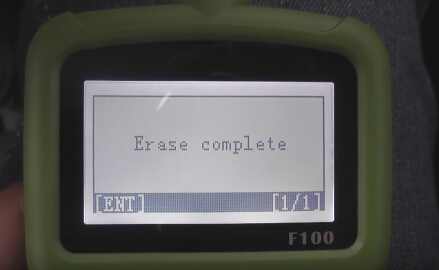
Erase complete


Configuring the system,please wait...

Switch ignition off


Configuring the system,please wait...

Switch ignition on

Use a new smart key to contact start button for a while until configuration complete, press ENTER to continue


Configuring the system,please wait...

Current number of keys: 1


Program success!


Same way to program another:

Switch ignition off

Configuring the system,please wait...

Switch ignition on

Use a new smart key to contact start button for a while until configuration complete, press ENTER to continue

Current number of keys: 2


Program success! Press ESC to return


You have completed the following procedures, engine can be started:

1- switch ignition off

2- put on the brakes, the key 1 press start button to start the engine for 3 seconds, then turn off the ignition switch

3- if you want to add more keys, please repeat procedure 2, complete


Finally, test the new keys to check they can work


Thus,

Mazda cx5 smart key programming success.


More info:

FORD & MAZDA models list F100 key programmer supported:

Mazda CX-3 ( 2015+ )( smart PCF7953 ID46 )

Mazda CX-5 ( 2012+ )( smart PCF7953 ID46 )

Mazda 2 ( 2014+ )( smart PCF7953 ID46 )

Mazda 3 ( 2013+ )( smart PCF7953 ID46 )

Mazda 6 ( 2013+ )( smart PCF7953 ID46 )

Mazda 2 ( 2002 – 2013)( 4D ID63 )

Mazda 3 ( 2002 – 2012 )( 4D ID63 )

Mazda 5 ( 2002 – 2012 )( 4D ID63 )

Mazda 6 ( 2014 – 2012 )( 4D ID63 )

Focus3/CMax 2010+ – mechanical ( DST80+ )

Focus3/CMax 2010+ – proximity ( DST80+ )

Kuga2 2014+ – mechanical ( DST80+ )

Kuga2 2014+ – proximity ( DST80+ )

MondeoMK4/SMax facelift 2010+ – mechanical ( DST80+ )

MondeoMK4/SMax facelift 2010+ – proximity ( DST80+ )

Fiesta 2014+ – ONLY mechanical ( DST80+ )

BMax+ – ONLY mechanical ( DST80+ )

Custom – ONLY mechanical ( DST80+ ) ( not fully supported )

NON-supported ( soon, look for news ):

Fiesta 2014+ – proximity

Bmax – proximity

Ecosport – proximitywww.obdii365.com

2016/08/07

Free OBDSTAR Tools Register and Update Manual

Original OBDSTAR Tools (OBDDSTAR X100 PRO,X300 Pro3 Key Master,F100,F108,VAG-PRO etc)software can be updated online. They share the same registration and upgrade procedure.


How to register OBDSTAR Tools?
1. Power on the OBDSTAR device

Power on the OBDSTAR device
2.Go to "ABOUT" and press "ENTER"

Go to "ABOUT" and press "ENTER"
3. Check the device information (Serial Number, register password etc)

Check the device information
4.How to tell original OBDSTAR Tools from clone? You can press "F1" and "F2" buttons at the same time, the device will show a secret number. Send the number to factory or authorized dealer to confirm your device is real or fake.

tell original OBDSTAR Tools from clone
5.Go to OBDSTAR official website www.obdstar.com to register 
Enter user information and sign in.

Enter user information

 6. Enter product serial number & register password got from Step 4.
Enter the distributor code/dealer code software show you.
Enter product serial number and register password
Finally, click”Next step” and type your own information.


1. First register and login official website follow above procedure. 

register and login official website

 2. Select "DownCenter" menu
Select "DownCenter" menu
3. Download the obdstar update tool

Download the obdstar update tool
4.Upzip and install update tool

install update tool

 5.Select software you need to update and download in bulk
Select software you need to update
6.You need to unzip these 2 files shown is picture below:

unzip these 2 files
7. Update in progress


http://obdstar.blogspot.com/2016/06/how-to-update-obdstar-x300-pro3-key.html