2016/08/08

OBDSTAR X300 Pro3 Program Ford Transit key within 2 mins

Here is the step by step instruction on programming new key on Ford Transit 2009 via OBD2 by using OBDSTAR X300 Pro3 Key Master auto key programmer. Progress done within 2 minutes, super easy.

Connect OBDSTAR Key Master with vehicle via OBD socket. Power on the key programmer.
Note: The OBDSTAR Key Master in green case is exactly the same as X300 Pro3 in orange case.
Select VEHICLES
Select VEHICLES
Select IMMOBILISER
Select IMMOBILISER
Select vehicle brand: FORD/LINCOLN
Check vehicle software version
Initializing
Authorizing
Communicating
Select Car make:FORD
Select Car region, here we tested a China Ford
select China Ford
Select program key from Immobiliser
Select  Immobiliser
Drop down the vehicle list and select Transit
Drop down the vehicle list
select-transit
Communicating
Select Program keys function
Select Program keys
Turn on the ignition switch

Insert key and switch ignition on
Program key in progress.
This process does not erase key.
Program success.
Program success

Test the new programmed key.

2016/08/07

Free OBDSTAR Tools Register and Update Manual

Original OBDSTAR Tools (OBDDSTAR X100 PRO,X300 Pro3 Key Master,F100,F108,VAG-PRO etc)software can be updated online. They share the same registration and upgrade procedure.


How to register OBDSTAR Tools?
1. Power on the OBDSTAR device

Power on the OBDSTAR device
2.Go to "ABOUT" and press "ENTER"

Go to "ABOUT" and press "ENTER"
3. Check the device information (Serial Number, register password etc)

Check the device information
4.How to tell original OBDSTAR Tools from clone? You can press "F1" and "F2" buttons at the same time, the device will show a secret number. Send the number to factory or authorized dealer to confirm your device is real or fake.

tell original OBDSTAR Tools from clone
5.Go to OBDSTAR official website www.obdstar.com to register 
Enter user information and sign in.

Enter user information

 6. Enter product serial number & register password got from Step 4.
Enter the distributor code/dealer code software show you.
Enter product serial number and register password
Finally, click”Next step” and type your own information.


1. First register and login official website follow above procedure. 

register and login official website

 2. Select "DownCenter" menu
Select "DownCenter" menu
3. Download the obdstar update tool

Download the obdstar update tool
4.Upzip and install update tool

install update tool

 5.Select software you need to update and download in bulk
Select software you need to update
6.You need to unzip these 2 files shown is picture below:

unzip these 2 files
7. Update in progress


http://obdstar.blogspot.com/2016/06/how-to-update-obdstar-x300-pro3-key.html

OBDSTAR X300M adjust mileage for Porsche Cayenne 2008

Obd365.com engineer has managed to adjust mileage on Porsche Cayenne 2008 by using OBDSTAR X300M odometer correction tool via OBD2.
obdstar-x300m
obdstar-x300m-main-unit

X300M Change KM for Cayenne 2008 Procedure: 
the dashboard of Cayenne 2008
porsche cayenne

the current mileage: 2345744km
porsche cayenne old mileage

note: check connection of the car and X300 M

here goes to Cayenne odometer correction.

select VEHICLES->MILEAGE ADJUSTMENT->PORSCHE->PORSCHE V30.12
select vehicles
mileage adjustment
porsche
porsche v30.02
->initializing...
->authorizing...
select Cayenne->Cayenne -2009->MILEAGE ADJUSTMENT
cayenne
cayenne-2009
select mileage-adjustment
->communication...
->enter a file name to save, here 11100000
enter a file name to save

input value: 11100000

OBDSTAR X300M mileage programmer managed to read the current mileage of 234560 (error does not exceed 10km)

read the current mileage of 234560

->input new mileage: 345430

input new mileage: 345430

input value: 345430

input value: 345430

->adjusting mileage...
->adjustment complete

adjustment complete

the dashboard displays the new milesage as what is set just now

new mileage


Cayenne change km SUCCESS.

2016/08/03

How to program Ford Fiesta key with OBDSTAR F100

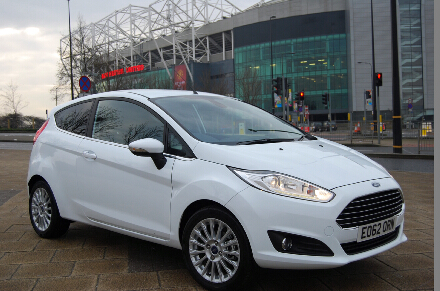
Rush to write something here, just for sharing my experience of the new OBDSTAR F100 Ford/Mazda key programmer with all Ford owners; i mean, i have managed to use this tool to add new keys for Ford Fiesta 2013.

Ford Fiesta 2013

First, i wanna talk about the buying. My family are all Ford fans, my wife’s Edge (2014), bro’s Taurus (2010) and also my 2013 Fiesta. So, a good key programmer specialized for Ford is definitely gonna happen, after asking the dealer to make new keys for Taurus last key (cost a lot!!!). And i was told this OBDSTAR F100 was completely suitable for my situation, when i searched on a Ford forum. The man said F100 can program keys, better for Ford after 2008, no need another pin code reader. Google it to compare that with different vendors online, but i finally followed his link ( http://www.obdii365.com/wholesale/f100-key-programmer.html ) to buy F100. Obd365 ranks No.1 in Google (it should be reliable i thought)

See what i received. I got it after 6 days after i ordered online. It’s a small hand-held one with simple design.
obdstar f100

Busy these days... No time to buy a new keys to program... Programmed the keys after nearly two weeks. But, i made it.

Post some screenshots here... It’s very very easy! All i did is only following the screen instruction.
Go to immobilizer system to select Fiesta 2013
immobilizer system
select Fiesta
select Fiesta 2013
Then program keys: insert the new key to be programmed and turn on the ignition
program keys
MIN key required 2
insert the key
current-key-number-2
current-key-number-3
2 keys i programmed!! And now i have three keys for my Fiesta (current keys: 3)

All done within 15 minutes.

2016/08/02

OBDSTAR X-100 Pro Update Notice July 30th

Original OBDSTAR X-100 Pro and X-200 Pro IMMO+Odometer+OBD tool welcomes a new upgrade on July 30th, 2016.
OBDSTAR-X100-Key-programmer
X-100 PRO/OBDSTAR X-200 Pro auto key programmer upgrade announcement on July 30th
Adding IMMO programming for X-100 PRO:
1) Adding MAHINDRA Xylo IMMO key programming (premiere model);
2) Adding MAHINDRA Scorpio IMMO key programming (premiere model);
3) Adding Maruti 800 IMMO key programming (premiere model);
4) Adding Maruti ALTO IMMO key programming (premiere model);
5) Adding Maruti OMNI IMMO key programming (premiere model);
6) Adding Maruti WAGON R IMMO key programming (premiere model);
7) Adding Maruti VERSA IMMO key programming (premiere model);
8) Adding Maruti ZEN ESTILO (2010) IMMO key programming (starting)
9) Adding Geely Dorsett EC7 (EC7RS) Continental series smart key system 2015- (premiere model);
10) Adding Geely Dorsett GC9 (BRIO) Hella smart Key system (premiere model);
11) Adding Na Zhi Jie large 7 SUV PIN initialization / ICU reset (keys all lost) / ECM reset / learn state detection (premiere model);
12) Adding Na Zhi Jie large 7 MPV PIN initialization / ICU reset (keys all lost) / ECM reset / learn state detection (premiere model);
13) Adding Na Zhi Jie MASTER CEO PIN initialization / ICU reset (keys all lost) / ECM reset / learn state detection (premiere model);
14) Adding Luxgen 5 SEDAN PIN initialization / ICU reset (keys all lost) / ECM reset / learn state detection (premiere model);
15) Adding Luxgen U6 SUV PIN initialization / ICU reset (keys all lost) / ECM reset / learn state detection (premiere model);
16) Adding Luxgen S5 PIN initialization / ICU reset (keys all lost) / ECM reset / learn state detection (premiere model);
17) Adding Luxgen New M7 SUV PIN new initialization / ICU reset (keys all lost) / ECM reset / learn state detection (premiere model);
18) Adding Luxgen New M7 MPV PIN initialization / ICU reset (keys all lost) / ECM reset / learn state detection (premiere model);
19) Adding BAIC BJ40 chip key programming function (premiere model);
20) Adding BAIC BJ80 chip key programming function (premiere model);
21) Adding BAIC D20 chip key programming function (premiere model);
22) Adding BAIC X25 chip key programming function (premiere model);
23) Adding BAIC X35 chip key programming function (premiere model);
24) Adding BAIC X55 chip key programming function (premiere model);
25) Adding BAIC X65 chip key programming function (premiere model);
26) Adding BAIC BJ80 smart key system (premiere model);
27) Adding BAIC X55 smart key system (premiere model);
28) Adding BAIC X65 smart key system (premiere model);
29) Adding 2016 Chevrolet Lova key programming (premiere model);
30) Adding 2016 Chevrolet Lova remote control programming (premiere model);
31) Adding 2016 Chevrolet Malibu smart key programming (premiere model);
32) Adding FAW Hongqi H7 Smart Key programming (PINCODE FREE);
33) Adding ZZNissan, Dongfeng MX6 vehicle IMMO system;
34) Adding Chrysler IMMO system type 3 (13-RAM 1500);
35) Adding Chrysler Smart Key Type 2 (13-Cherokee);
36) Adding Chrysler Smart Key Type 3 (13-RAM 1500);
37) Adding GM Hummer H3 remote control system ;
38) Adding Chang’an CS35 of 2016 models remote control programming type 2;
39) Adding Ford F150 2015- Smart Key programming (PINCODE FREE);
40) Adding Mazda CX4 smart key programming;
41) Adding Chrysler toothless rotary type 2;
42) Adding Zotye Z300 new Joint Industrial IMMO system;

Add mileage adjustment models for X-100 PRO:
43) Adding Porsche 911 2005-2010 mileage adjustment;
44) Adding Porsche Boxster 2005-2010 mileage adjustment;
45) Adding Porsche Cayman 2005-2010 mileage adjustment;
46) Adding Porsche 918 (2015) data recovery;
47) Adding Porsche Cayenne 2010 data recovery;
48) Adding Porsche Panamera 2010 data recovery;
Add Oil/Service reset system for X100-PRO:
49) Adding the English version of GM Oil/Service reset system;
50) Adding MG MG7-L Oil/Service reset system;
51) Adding MG MGTF Oil/Service reset system;
52) Adding MG MG6-EU Oil/Service reset system;
53) Adding MG AP12 Oil/Service reset system;
54) Adding ROEWE 360 Oil/Service reset system;Add EPB function for X-100 Pro:
55) Adding VOLVO XC70 models EPB function;
56) Adding VOLVO V40 models EPB function;
57) Adding VOLVO V70 models EPB function;
58) Adding BENZ AMG190 models EPB function;
59) Adding BENZ ML/GLE292 models EPB function;
60) Adding BENZ MAYBAKC240 models EPB function;
61) Adding BENZ S217 models EPB function;
62) Adding BENZ S211 models EPB function;
63) Adding BENZ SLR199 models EPB function;
64) Adding BENZ CL216 models EPB function;Add EEPROM adapter for OBDSTAR X100 Pro:
65) Adding MAXUS BCM IMMO pincode to read;
66) Adding DFLIUZHOU engine ECU IMMO pincode to read;
67) Adding LUFENG Fashion engine ECU IMMO pincode to read;
68) Adding Zotye engine ECU IMMO pincode to read (Huf);
69) Adding Subaru Legacy smart system initialization;
70) Adding BAIC D20 engine ECU IMMO pincode to read;
71) Adding Fiat Viaggio IMMO data repair function;
72) Adding Toyota with G chip data recovery function;
73) Adding Toyota with G chip data recovery and initialization function;
Optimal correction for X-100 PRO:
74) Optimized Changhe, Chery, Geely, GM, Toyota and other car IMMO remote programming;

2016/08/01

OBDSTAR X100 Pro "No TF Card" Solution

I just ordered the OBDSTAR X100 pro auto key programmer, the package arrived in good condition. But when i try power on the device, it prompt me "No TF card", i have lost the TF card came with the package. What should I do?


Solution:
If you forget to insert the TF card, then plug in the card.

If you have lost the Tf card came with the package, you can buy and replace another TF card.
BUT you need to update the OBDSTAR X-100 pro after you replace the TF card.

How to update OBDSTAR X100 Pro key programmer?
www.key-programmer.org/2016/05/01/update-obdstar-x100-pro/