2019/06/10

Ford EcoSport smart key program: Autel IM100 vs Obdstar X100/X300 vs XTool Pad2

What for Ford EcoSport smart key programming?
Autel, Obdstar, XTool – which can make it?

Here are the tests:
Autel IM100: Failed!
Obdstar X300 Pro3: Success!
Obdstar X100 Pro: Success!
XTool X100 Pad 2: Success!


Test 1: Autel Im100 failed to program Ford EcoSport smart key
auro-im100-ford-ecosport-1

auro-im100-ford-ecosport-2

auro-im100-ford-ecosport-3

auro-im100-ford-ecosport-4

auro-im100-ford-ecosport-5

auro-im100-ford-ecosport-6

auro-im100-ford-ecosport-7
Security access failed!
It’s 2014 Ford EcoSport
On a side note, IM100 now is Autel MaxiIM IM508


Test 2: Obdstar X300 Pro3 can make a Ford EcoSport smart key
obdstar-x300-pro3-ford-ecosport-1
Get solution with x300.
Raoul Engoule Raoul tested it! It’s 2014 Ford EcoSport


Test 3: Obdstar X100 Pro has no problem with Ford EcoSport smart key program
obdstar-x100-pro-ford-ecosport-1

obdstar-x100-pro-ford-ecosport-2

obdstar-x100-pro-ford-ecosport-3

obdstar-x100-pro-ford-ecosport-4

obdstar-x100-pro-ford-ecosport-5

obdstar-x100-pro-ford-ecosport-6

obdstar-x100-pro-ford-ecosport-7

obdstar-x100-pro-ford-ecosport-8

obdstar-x100-pro-ford-ecosport-9

obdstar-x100-pro-ford-ecosport-10

obdstar-x100-pro-ford-ecosport-11

obdstar-x100-pro-ford-ecosport-12

obdstar-x100-pro-ford-ecosport-13

obdstar-x100-pro-ford-ecosport-14
Done! It’s Ford EcoSport all keys lost
Note: you should have a pin code calculator like FMPC001 Ford incode calculator or VPC-100 for security codes.
X100 pro cannot get the code itself.


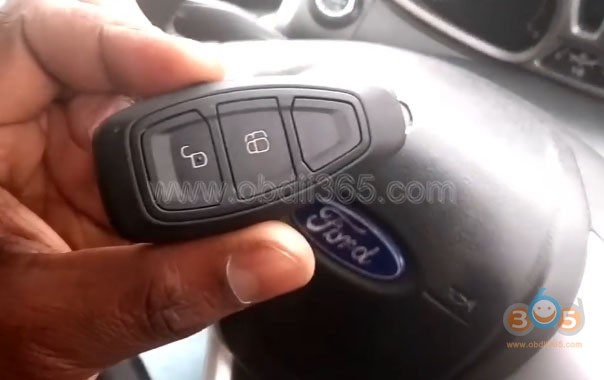
Test 4: Xtool X100 Pad2 can read security codes & add smart EcoSport keys
xtool-pad2-ford-ecosport-1

xtool-pad2-ford-ecosport-2

xtool-pad2-ford-ecosport-3

xtool-pad2-ford-ecosport-4

xtool-pad2-ford-ecosport-5

xtool-pad2-ford-ecosport-6

xtool-pad2-ford-ecosport-7

xtool-pad2-ford-ecosport-8

xtool-pad2-ford-ecosport-9

xtool-pad2-ford-ecosport-10
Success! X100 Pad2 can read security codes and add smart keys…all done on its own!

Conclusion:
For Ford EcoSport smart key program, you’d better have an Obdstar key master X300 pro3 or Xtool pad2.
Both can read PIN and program a smart key.
With Obdstar X100 Pro, you must have another tool for security codes read. Besides, it stopped production.
With Autel IM100 (IM508), you need luck! it’s good for auto diagnostic tests and key programming to some cars.

Program Lacetti 2014 Smart Key with OBDSTAR X300 DP PLUS

As titled,  here's the guide to read pin code and program smart key on a Chevrolet Lacetti 2014 (Daewoo Lacetti 2014) by OBDSTAR X300 DP PLUS via OBD.
obdstar-x300-dp-plus-2014-lacetti-1

Step 1: Read Pin Code
Connect X300 DP with vehicle via OBD
Select Diag Program->Immobilizer->GM->GM V31.30->Read Pin Code->By OBDII->By Other System->Read PinCode->Chevrolet->Cruze->2014
obdstar-x300-dp-plus-2014-lacetti-2

obdstar-x300-dp-plus-2014-lacetti-3

obdstar-x300-dp-plus-2014-lacetti-4

obdstar-x300-dp-plus-2014-lacetti-5

obdstar-x300-dp-plus-2014-lacetti-6

obdstar-x300-dp-plus-2014-lacetti-7

obdstar-x300-dp-plus-2014-lacetti-8

obdstar-x300-dp-plus-2014-lacetti-9


Turn on ignition switch
Communicating
obdstar-x300-dp-plus-2014-lacetti-9

Read 4-digit Pin Code success


Step 2: Program smart key
In X300 DP PLUS GM menu, select Immobilizer->Select from vehicle-> Chevrolet->Cruze->2009-2014->With Smart->All smart keys lost
obdstar-x300-dp-plus-2014-lacetti-10

obdstar-x300-dp-plus-2014-lacetti-11

obdstar-x300-dp-plus-2014-lacetti-12

obdstar-x300-dp-plus-2014-lacetti-13

obdstar-x300-dp-plus-2014-lacetti-14


Press Start button
obdstar-x300-dp-plus-2014-lacetti-15

Put the smart key into the card slot (here below the cup holder). Take other smart keys out of car.
obdstar-x300-dp-plus-2014-lacetti-16

OBDSTAR X300 DP PLUS require to enter 4-digit pin code to access
obdstar-x300-dp-plus-2014-lacetti-17

Enter Pin read in Step 1 and confirm
Configuring system, wait for 12 minutes
obdstar-x300-dp-plus-2014-lacetti-18

Press the Start button once
Press ENTER to program next smart key
obdstar-x300-dp-plus-2014-lacetti-19

Press Start button for 12s
obdstar-x300-dp-plus-2014-lacetti-20

Release Start button and wait for 5s, press ENTER to continue
obdstar-x300-dp-plus-2014-lacetti-21

Press Start button to turn on ignition
Turn ignition off. Wait for 60s to reset the adaptive values
obdstar-x300-dp-plus-2014-lacetti-22

Press Start button to turn off ignition.
Configuring the system, wait for 30s
obdstar-x300-dp-plus-2014-lacetti-23

Press the brake pedal, press Start button to start engine and wait for 5s, press ENTER to continue
Stop engine
Press Start button to turn off ignition
obdstar-x300-dp-plus-2014-lacetti-24

Remove smart key, press LOCK and UNLOCK button
obdstar-x300-dp-plus-2014-lacetti-25

Program completed.
Remote control will automatically programmed
obdstar-x300-dp-plus-2014-lacetti-26

Test remote control and start vehicle.
Done.

http://www.key-programmer.org/2019/06/10/program-lacetti-2014-smart-key-with-obdstar-x300-dp-plus/