2024/11/10

OBDSTAR DC706 Read and Write Peugeot EDC17C60

 OBDSTAR DC706 ECU programmer supports PSA Peugeot Citroen Bosch EDC17C60 ECU reading and writing on bench. Here we will show how to read/ write ECU, read pin code and TPROT OFF on EDC17C60.

OBDSTAR DC706 Read and Write Peugeot EDC17C60 1

What’s needed:

OBDSTAR DC706

MP001 programmer or P003+ adapter

12V power supply

OBDSTAR DC706 Read and Write Peugeot EDC17C60 2

OBDSTAR DC706 Read and Write Peugeot EDC17C60 3

OBDSTAR DC706 Read and Write Peugeot EDC17C60 4

OBDSTAR DC706 Read and Write Peugeot EDC17C60 5

Procedure:

Make sure to update ECU software to latest version before we get started.
Current version is EM V31.20.

Quick search EDC17C60 and select Peugeot Bosch EDC17C60 TC1793.

OBDSTAR DC706 Read and Write Peugeot EDC17C60 6

Read instructions.

The car starts the first time and then never starts again, also has the fault code “P151A 92” and “P3028 00.”
In this case, you will need to load flash data, disable TPROT and write flash to ECU on bench mode.

OBDSTAR DC706 Read and Write Peugeot EDC17C60 7

OBDSTAR DC706 Read and Write Peugeot EDC17C60 8

Select Bench mode with MP001. Check wiring diagram.

OBDSTAR DC706 Read and Write Peugeot EDC17C60 9

OBDSTAR DC706 Read and Write Peugeot EDC17C60 10

Connect ECU with MP001 and DC706 programmer following the wiring diagram.

OBDSTAR DC706 Read and Write Peugeot EDC17C60 11

Connect ECU.

OBDSTAR DC706 Read and Write Peugeot EDC17C60 12

Back up ECU data.

Read INT eeprom and save.

OBDSTAR DC706 Read and Write Peugeot EDC17C60 13

Read INT flash and save.

OBDSTAR DC706 Read and Write Peugeot EDC17C60 14

Now write the backed-up data into the module.

Write INT eeprom. Load eeprom data just saved.

DC706 asks to verify data (correct checksum of eeprom), press OK to continue.

Write eeprom successfully.

OBDSTAR DC706 Read and Write Peugeot EDC17C60 15

OBDSTAR DC706 Read and Write Peugeot EDC17C60 16

OBDSTAR DC706 Read and Write Peugeot EDC17C60 17

OBDSTAR DC706 Read and Write Peugeot EDC17C60 18

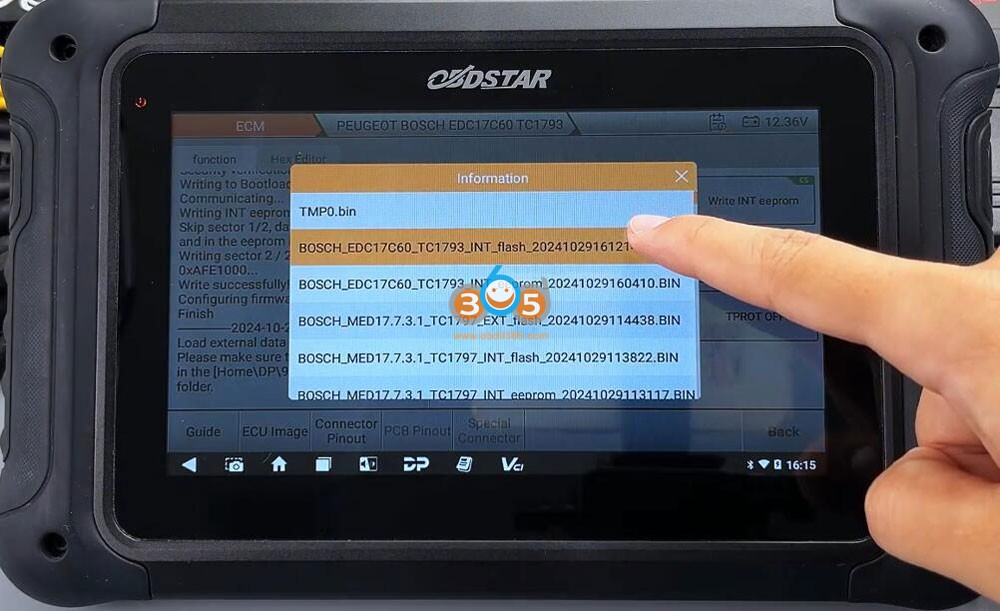
Write INT flash. Load flash data just saved.

DC706 asks to verify data (correct checksum of flash), press OK to continue.

Write flash data successfully.
OBDSTAR DC706 Read and Write Peugeot EDC17C60 19

OBDSTAR DC706 Read and Write Peugeot EDC17C60 20

OBDSTAR DC706 Read and Write Peugeot EDC17C60 21

Press Read PIN Code. Read4-digit pin code success.
You can save a screenshot of the pin code.

OBDSTAR DC706 Read and Write Peugeot EDC17C60 22

Then press TPROT OFF. Load flash data and do TPROT OFF.

TPROT OFF finished.

OBDSTAR DC706 Read and Write Peugeot EDC17C60 23

OBDSTAR DC706 Read and Write Peugeot EDC17C60 24

Don’t forget to press Disconnect. Then install ECU back to vehicle.


2024/11/07

OBDSTAR Read 2022 Hyundai Elantra PIN and Program Smart Key

 How to read pin code and add smart key to a 2022 Hyundai Elantra using OBDSTAR X300 DP Plus? Check instructions below:

1.Read pin code

Select Hyundai latest software->Read pin code->Proximity
The function requires network connection

Read pin code successfully.

OBDSTAR Read 2022 Hyundai Elantra PIN and Program Smart Key 1

OBDSTAR Read 2022 Hyundai Elantra PIN and Program Smart Key 2

OBDSTAR Read 2022 Hyundai Elantra PIN and Program Smart Key 3

2. Program smart key

Select from model->Hyundai->North America->Elantra-> 2019 onwards-> Proximity->Type 1(CAN)->Program Smart keys

OBDSTAR Read 2022 Hyundai Elantra PIN and Program Smart Key 4

OBDSTAR Read 2022 Hyundai Elantra PIN and Program Smart Key 5

OBDSTAR Read 2022 Hyundai Elantra PIN and Program Smart Key 6

OBDSTAR Read 2022 Hyundai Elantra PIN and Program Smart Key 7

The function requires network connection.
All keys will be erased and need to be programmed to use.

OBDSTAR Read 2022 Hyundai Elantra PIN and Program Smart Key 8
Turn off ignition, open and close the driver door.

OBDSTAR Read 2022 Hyundai Elantra PIN and Program Smart Key 9
Input pin code to continue.

OBDSTAR Read 2022 Hyundai Elantra PIN and Program Smart Key 10
Press Enter button, use the top of the proximity key to keep pressing the start/stop button for 5s within 5s, the immobilizer light will flash.
If the operation fails, remove the key shell and perform function again.

OBDSTAR Read 2022 Hyundai Elantra PIN and Program Smart Key 11

X300 DP Plus said key is not detected. So we remove key shell and try again.

OBDSTAR Read 2022 Hyundai Elantra PIN and Program Smart Key 12

OBDSTAR Read 2022 Hyundai Elantra PIN and Program Smart Key 13

OBDSTAR Read 2022 Hyundai Elantra PIN and Program Smart Key 14

Repeat and program 1st key successfully.

OBDSTAR Read 2022 Hyundai Elantra PIN and Program Smart Key 15

Put the 2nd key to the Start/Stop button to program until completed.

Done.

http://www.key-programmer.org/2024/11/07/obdstar-program-2022-hyundai-elantra-proximity-smart-key/

2024/11/05

OBDSTAR G3 Reset Hyundai Solaris Airbag Crash 95910 H5000

How-to: HYUNDAI Accent/Solaris HCR  crash data reset by OBDSTAR X300 Classic G3 tool. Need to activate airbag reset license to G3.

Part number: 95910 H5000 AUTOLIV XC2361A


Procedure:

Quick search 95910 H5000 part number and select Hyundai 95910 H5000 AUTOLIV XC2361A.

OBDSTAR G3 Reset Hyundai Solaris Airbag Crash 95910 H5000 1

Check wiring diagram. 

Connect airbag module with G3 via P004 adapter.

OBDSTAR G3 Reset Hyundai Solaris Airbag Crash 95910 H5000 2

OBDSTAR G3 Reset Hyundai Solaris Airbag Crash 95910 H5000 3

Turn on ignition switch on P004. 

Read airbag ECU information.

OBDSTAR G3 Reset Hyundai Solaris Airbag Crash 95910 H5000 4

OBDSTAR G3 Reset Hyundai Solaris Airbag Crash 95910 H5000 5

Read DTC. It has fault code B1649 and says crash stored.

OBDSTAR G3 Reset Hyundai Solaris Airbag Crash 95910 H5000 6

If need try reset crash, it will report a communication error. We need to read airbag eeprom data first. 

Read and save XC2361A eeprom data.

OBDSTAR G3 Reset Hyundai Solaris Airbag Crash 95910 H5000 7

OBDSTAR G3 Reset Hyundai Solaris Airbag Crash 95910 H5000 8

OBDSTAR G3 Reset Hyundai Solaris Airbag Crash 95910 H5000 9

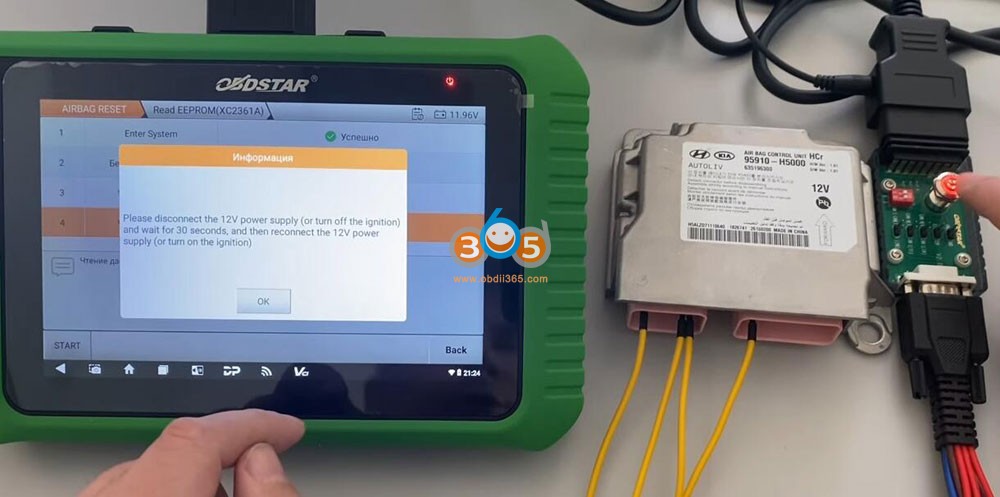
Disconnect the 12V power supply or turn off ignition. Wait for 30s, then reconnect 12V power supply or turn on ignition.

OBDSTAR G3 Reset Hyundai Solaris Airbag Crash 95910 H5000 10

Select Erase crash.
Make sure eeprom has been read.
Load EEPROM data. 
OBDSTAR G3 Reset Hyundai Solaris Airbag Crash 95910 H5000 11
OBDSTAR G3 Reset Hyundai Solaris Airbag Crash 95910 H5000 12

Erasing crash in process.
OBDSTAR G3 Reset Hyundai Solaris Airbag Crash 95910 H5000 13
Clear airbag crash successfully.
OBDSTAR G3 Reset Hyundai Solaris Airbag Crash 95910 H5000 14
Read DTC again. There is no crash stored.


How to Update OBDSTAR MT203 Software?

 OBDSTAR MT203 is a universal Driver Gateway Simulator for Dash, BCM, Audio, Gear Level, AC Panel and Other Systems. It solves much of these problems and more: besides the gateway function, it also has its own vehicle module platform testing functions. The cluster needs a CAN message to light up? MT203 can do it for you on its own. Same thing for dozens of modules, from gear selector on Land Rover to the 48V alternator used on Audi Mild Hybrid, as well as many infotainment modules.


Many users don’t know how to update software for MT203. Check instructions below:


How to Update OBDSTAR MT203 software?

Go to official website www.obdstar.com, in Service tab, download One-click upgrade tool.

How to Update OBDSTAR MT203 software 1

How to Update OBDSTAR MT203 software 2

First login need to register the device. Run the one-click upgrade tool. Press Register.

How to Update OBDSTAR MT203 software 3

Complete user information to register device.

Serial number, register password, email, user name and dealer code are required to register MT203.

How to Update OBDSTAR MT203 software 4

S/N: you can find S/N in machine
Password:  Turn on machine, you can find password in Settings.
Dealer code: 0086A002

How to check hardware info. (S/N, register password) in MT203?

Connect the MT203 device with 12V power supply to turn on device.

How to Update OBDSTAR MT203 software 5

Go to Hardware Info. You will see hardware version, software version, serial number and register password information.

How to Update OBDSTAR MT203 software 6

How to Update OBDSTAR MT203 software 7

How to Update OBDSTAR MT203 software 8

Complete all information to register MT203.

Then connect OBDSTAR MT203 with laptop via USB cable.

In upgrade tool, select device serial number, format external sd card, select device name and latest version, then Update.

How to Update OBDSTAR MT203 software 9

Check update status in device. Wait until update is finished.

How to Update OBDSTAR MT203 software 10

https://www.obdii365.com/service/how-to-update-obdstar-mt203-software.html