
In this article, we walk through the process of reading and unlocking a Chrysler Continental GPEC3 ECU using the OBDSTAR ECU Master programmer.
This guide covers boot mode reading, EEPROM and internal flash backup, ECU unlock, VIN writing, and checksum handling.
Previous Tool Attempts
Notably:
DC706 previous Chrysler old sw failed to read it in boot mode
Multiprog also failed to read it in boot mode
The ECU Master is being tried to see if it will work after the update.
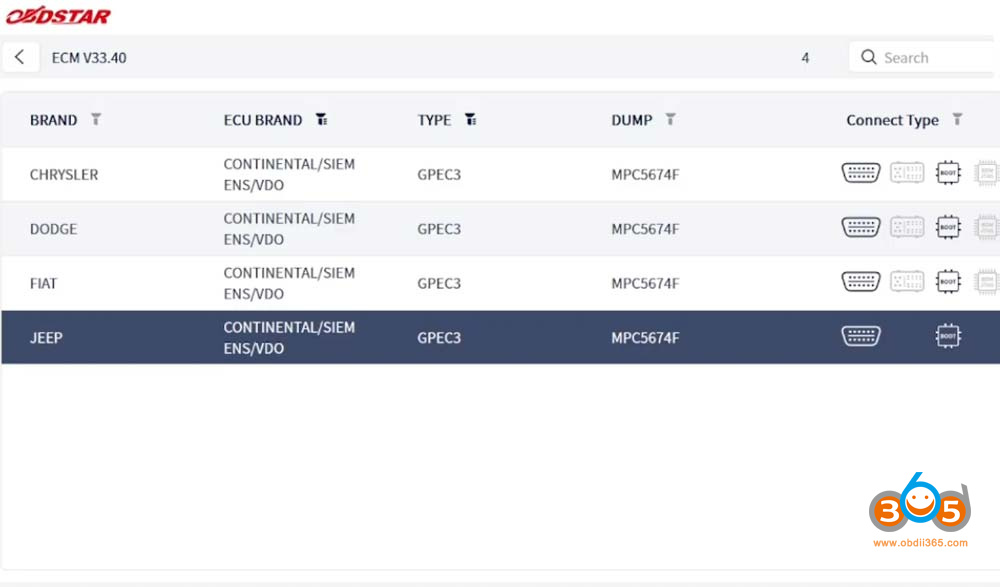
Selecting the ECU in the Tool
The selection process:
- Select by brand — Continental
- Go to type
- Select GPEC3
There is also a new OBD option available from the recent update, but boot mode is being used for this demonstration.

Boot Mode Setup
For boot mode, the ECU must be opened. The connection requires:
A 120 ohm resistor between CAN L and CAN L.
Once the connections are made:
Select Start.
Select Boot to perform the reading.


Boot Loader and Connection
The tool waits for the boot loader to be written onto the ECU so it can connect. The boot loader begins loading — a good sign that connection will succeed.
The ECU Master connects successfully.
Reading the ECU
With the connection established, all functions are tested:
- Special functions
- Read EEPROM
- Read internal flash
EEPROM Reading
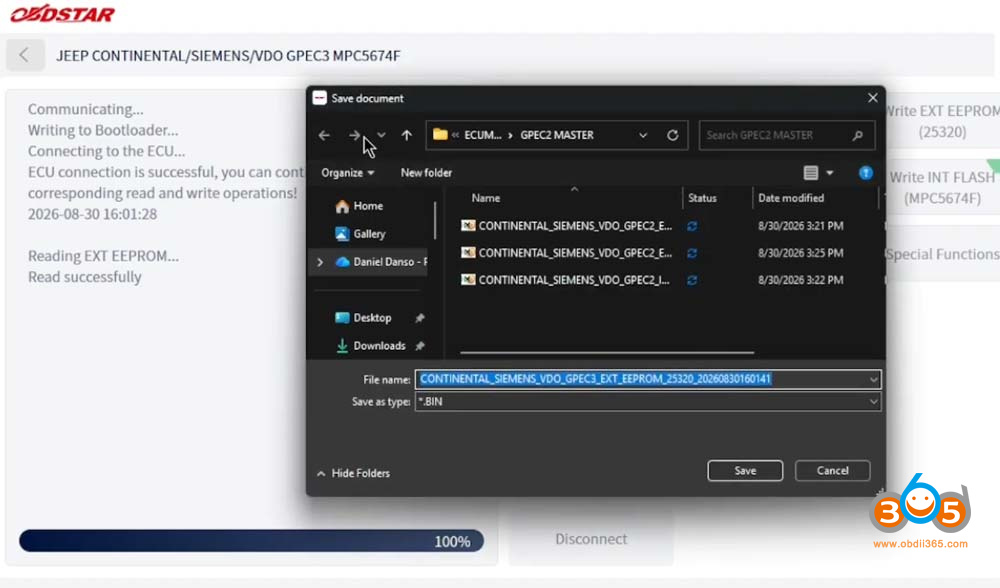
The internal EEPROM is read. This ECU uses an external EEPROM, so it can be opened and cloned by reading the external EEPROM.
Important note: The most important thing is to make sure the map — what is called the internal flash — looks the same, or the vehicle will throw codes that might not otherwise appear. This happens often.
The EEPROM is saved.

Internal Flash Reading
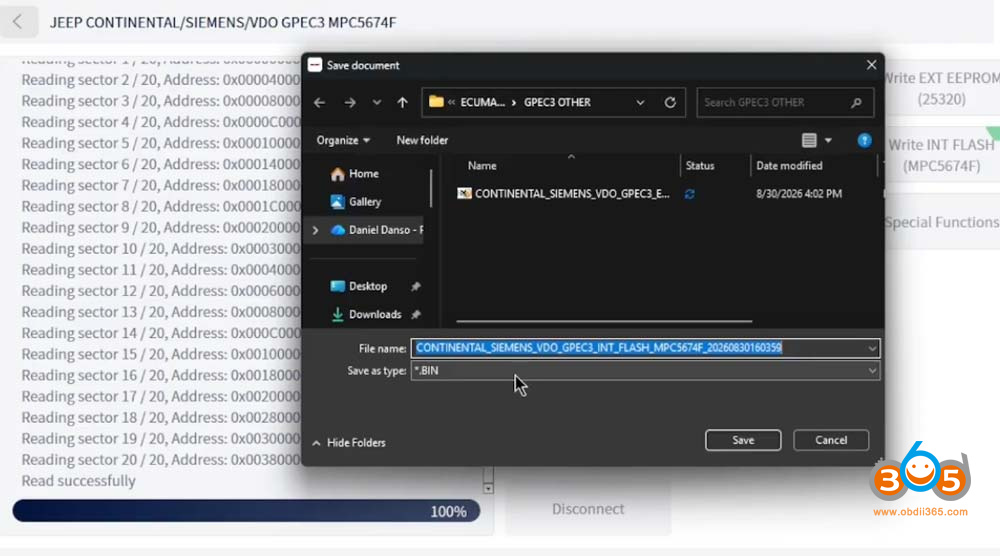
The internal flash is also read. The update appears to have helped. The tool reads all the sectors — approximately 20 sector addresses for the internal flash.
With this capability, one-on-one cloning is possible if the flash is not damaged and the client brings the ECU in. Both the external EEPROM and the internal flash can be read, meaning there may be no need to go online to update it or use another ECU to update the flash itself.

Tuning and VIN Considerations
For this ECU:
If you want to tune it, you must unlock it first before tuning.
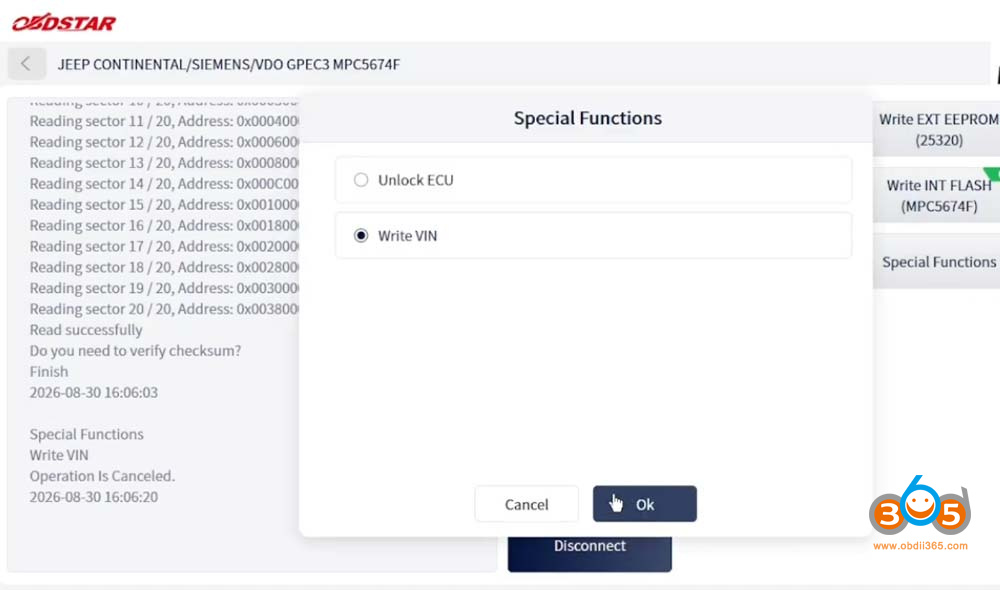
If you want to change the VIN, that can be done in special functions — which the update reportedly added.
Saving the Flash
The flash is saved so that if the client wants it, the file is available. The tool prompts to save.
ECU Unlock
The ECU unlock function is selected. With ECU unlock:
It reads the internal flash
Read and save flash.
It will then write it back onto the ECU.
The unlock completes successfully.


VIN Writing
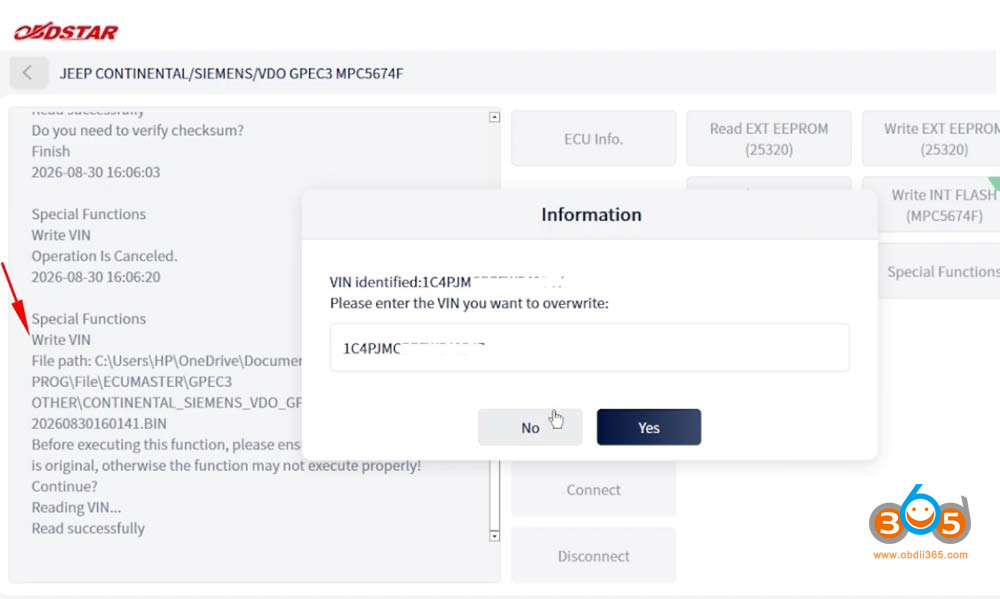
The VIN function is selected. The tool asks to select the EEPROM because the VIN is normally stored in the EEPROM.
For the GPEC3, there are three locations for the VIN. When changing any number:
The change is made (e.g., changing the last digit to 8)
The tool writes it automatically
To verify:
Read the EEPROM
Save it
Compare it with the edited version
The write can also be done for verification purposes. The original VIN is written back so it can be read in the ECU.
Important: With the VIN, you must select the EEPROM you want to change the VIN in. When the change is done, it writes it back. The tool reads to allocate the VIN numbers.
Note: The ECU Master requires an internet connection — without it, you cannot connect.
Writing the Flash Back
The flash is written back because of the unlocking performed earlier.


Checksum (CS) Correction
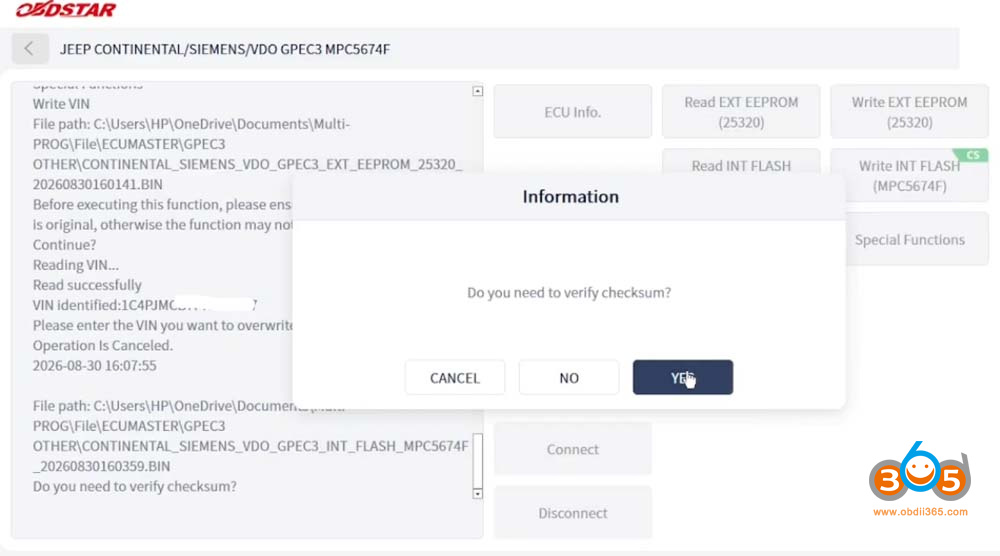
When you see CS in the ECU Master, it means checksum. The tool performs a checksum for you.
It cannot be given a 100% guarantee, but it works mostly on Bosch ECUs and some Continental ECUs
All the AC Delco ECUs it supports also get checksums
This is a Continental ECU, and the checksum is being performed on it.
The checksum takes a long time because it must be uploaded to the server. The server does a lot of work — it checks the file, goes through it, and brings it back for writing. This verifies the file is okay.
Note: Sometimes the checksum can be skipped if you don’t want a long wait, don’t have time, or have made edits that might not pass. However, the checksum is very important because it helps prevent breaking the ECU.
Writing Process
During writing:
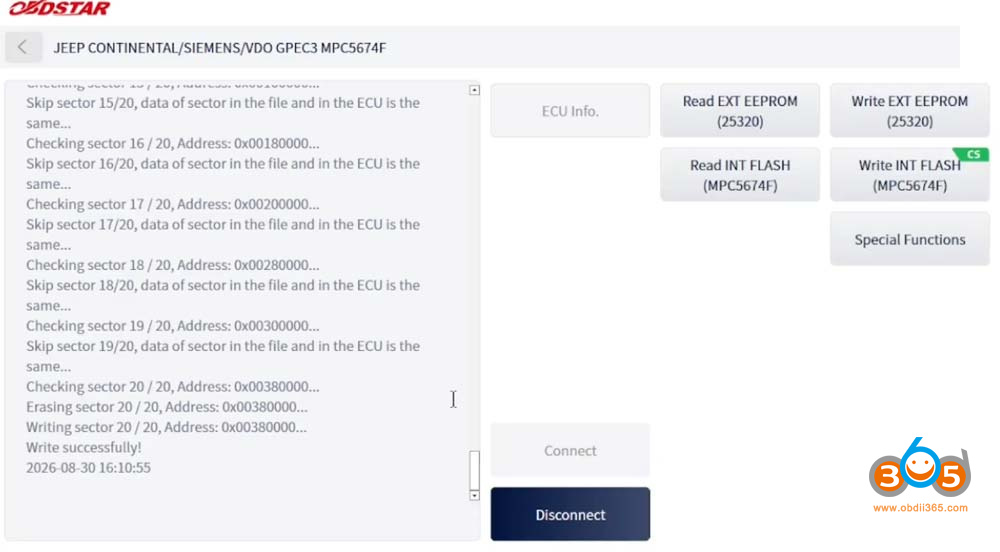
Certain sectors are skipped
Only the needed sectors are written
This makes writing faster because skipping sectors avoids delays
The tool erases and writes sector 20 out of 20 addresses.
Sector 20 is written successfully. The tool is disconnected.


Summary
This case demonstrates reading and unlocking a Continental GPEC3 ECU with the OBDSTAR ECU Master. Key takeaways:
- The ECU Master’s new software matches DC706 functionality, with a recent OBD mode update
- Boot mode requires a 120 ohm resistor on the CAN line
- The tool connected successfully where Multiprog failed
- External EEPROM and internal flash can both be read for one-on-one cloning
- ECU unlock is required before tuning
- VIN writing requires selecting the EEPROM (three VIN locations on GPEC3)
- Checksum (CS) is handled via the server — important for preventing ECU damage
- An internet connection is required

No comments:
Post a Comment
Note: Only a member of this blog may post a comment.